Inventory Management for Perishable Items: Singapore F&B Guide
Master perishable inventory management in Singapore F&B. FIFO, batch tracking, real-time monitoring, and software tools to reduce spoilage and boost margins.
Your ramen shop in Tanjong Pagar moves 40 kg of pork belly a week. Last month, 8 kg went to waste—spoiled before you could use it. That's roughly S$240 in margin gone, and it happens every month because you're not tracking what came in when.[1]
Perishable inventory is the silent margin killer in Singapore F&B. Unlike a retail shop stocking canned goods, you're managing dairy, meats, fresh produce, and pre-prepped items with shelf lives measured in days, not months. Overstocking wastes money. Understocking loses sales. Predicting demand during Chinese New Year or a sudden hawker centre foot-traffic dip adds another layer of chaos.[1]
The good news: three proven techniques—FIFO, batch tracking, and real-time monitoring—can cut your spoilage by 20–40% without overhauling your kitchen. Here's how to implement them.
Step 1: Adopt FIFO (First In, First Out)
FIFO is the backbone of shelf-life management.[2] It means older stock gets used before newer stock, every time. Sounds simple. Most Singapore F&B operators don't do it consistently.
How to set it up:
1. Label every incoming delivery with the date received (use a permanent marker on the container or a printed sticker). 2. Arrange your walk-in fridge and dry store so older items are at eye level or front; newer items go to the back. 3. Train your kitchen team to check the date label before pulling ingredients. Make it a habit, not a suggestion. 4. For high-turnover items (fish, leafy greens), do a quick visual sweep every morning.
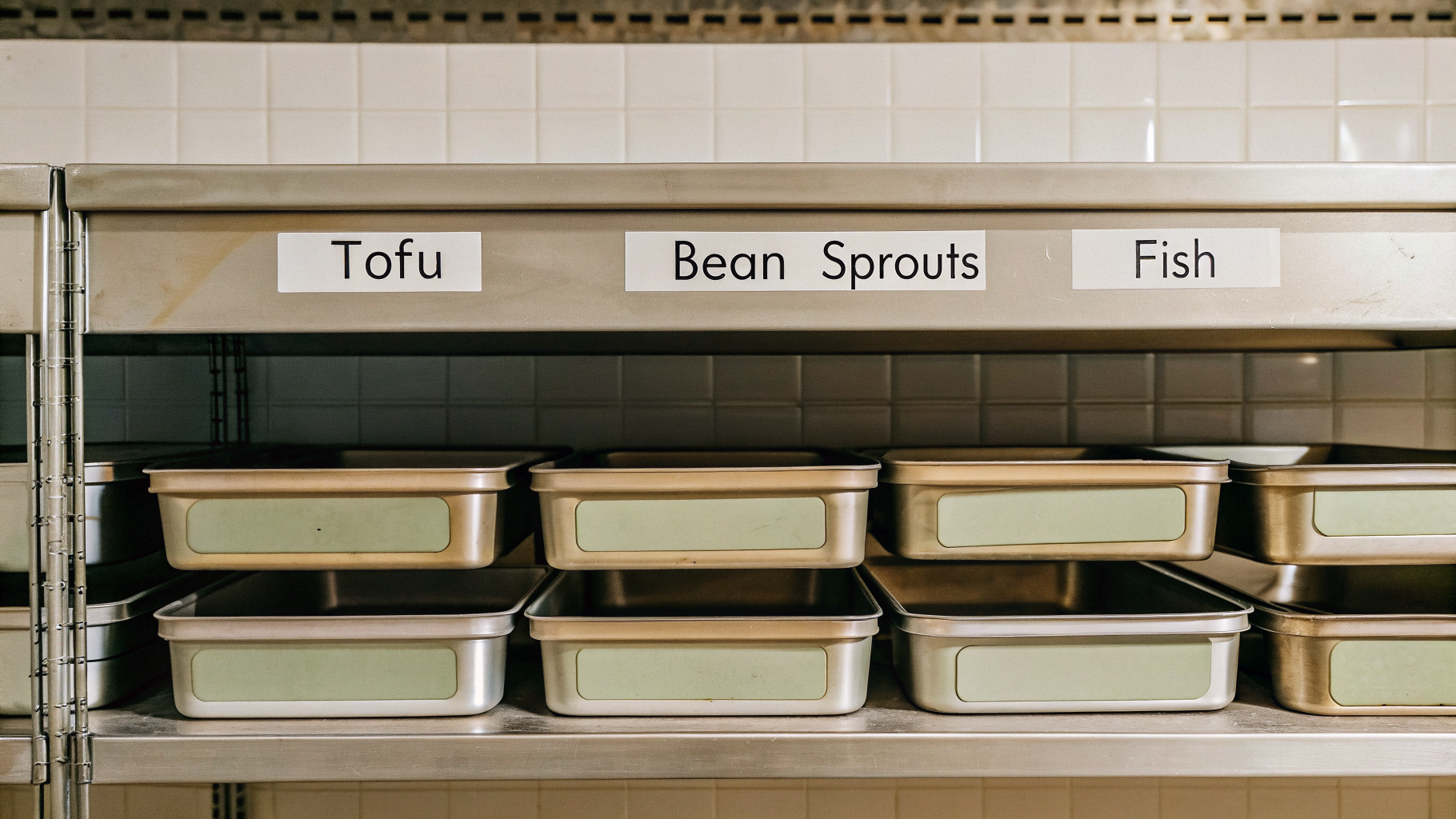
Real example: A hawker stall adhering to FIFO for perishable ingredients—say, bean sprouts and tofu—ensures food items are used in the correct order, reducing the risk of waste.[3]
Invoco tip: Use your phone's camera to photograph shelf arrangement weekly; compare photos to spot when FIFO discipline slips.
Step 2: Implement Batch Tracking
 Invoco kitchen display system showing active tickets with prep timers
Batch tracking groups similar items and monitors their expiry or defects.[4] It's especially critical if you ever need to recall a contaminated ingredient or trace a food safety issue back to a supplier.
How to do it:
1. Assign a batch number or lot code to each delivery. Write it on the container (e.g., "Supplier A – 15 Apr 2026 – Batch 042"). 2. Keep a simple log (spreadsheet or notebook) linking batch number → supplier → date received → expiry date → quantity used → quantity remaining. 3. When you use an ingredient, note the batch number on your prep sheet or kitchen ticket. 4. If a supplier issues a recall or you spot spoilage, you can instantly identify which dishes or prep batches were affected.
This is especially important for dairy, meats, and sauces, where a single bad batch can cause food poisoning.[4]
Step 3: Monitor Stock Levels in Real Time
Manual stock counts once a week or once a month are too slow. By the time you realize you're low on chicken breast, you're either ordering emergency stock at a premium or turning away customers.[2]
What to track:
- Current quantity on hand (count it daily for high-turnover items like rice, oil, soy sauce).
- Condition of items (discoloration, smell, texture).
- Usage rate (how fast is this ingredient moving?).
- Reorder point (at what quantity do you need to order again to avoid stockout?).
Manual method (if you're not using software yet):
1. Pick 5–10 critical ingredients (the ones that cause the most pain if you run out or waste). 2. Count them every morning or end of shift. 3. Note the count on a whiteboard or in a shared group chat. 4. When count drops below your reorder point, order immediately.
Software method:
Inventory management software automates this. Real-time stock tracking lets you receive updates on ingredient usage, helping reduce spoilage.[2] You can set automatic reorder alerts, track batch numbers without a notebook, and see which ingredients are moving slowly (a sign they might spoil soon).
Conduct Regular Stock Audits
Even with FIFO and batch tracking, things slip. Weekly or bi-weekly audits catch them.[3]
What to do:
1. Pick a quiet time (early morning or after service). 2. Walk your fridge, freezer, and dry store with a checklist. 3. Count key items and compare to your records. 4. Note any items approaching expiry or showing signs of spoilage. 5. Adjust your purchasing or prep plans accordingly.
Example: A small restaurant carries out weekly stock audits to ensure the correct levels of supply are maintained, helping to prevent waste and ensuring that older stock is used first.[3]
How Invoco Cuts Spoilage with Inventory + Recipe Costing
 Invoco inventory management page tracking ingredients and stock levels
Manually tracking batch numbers, FIFO rotation, and stock levels across a multi-outlet chain or even a busy single stall is time-consuming and error-prone. Invoco's inventory module pairs real-time stock monitoring with batch tracking and weighted-average costing. You upload a supplier invoice (PDF or photo), and Invoco's AI invoice OCR extracts line items and batch dates automatically. Stock posts at the invoice price, and the system flags ingredients that are over-budget or approaching expiry. When you use an ingredient in a recipe, Invoco recomputes your menu item cost in real-time, so you always know your true COGS. The COGS + ingredient variance report shows you exactly which ingredients are being over-used, helping you spot waste before it becomes a monthly pattern. For a 3-outlet zi char chain, this means fewer hours spent on manual stock counts and more time catching spoilage before it hits the bin. Link: Invoco
Supplier Management: Order Smart, Receive Fresh
Effective supplier management ensures timely delivery of fresh ingredients while avoiding overstocking.[2] You can't control when your supplier delivers, but you can control how often you order and in what quantity.
Best practices:
- Order frequency: More frequent, smaller orders reduce the risk of spoilage. Instead of ordering 20 kg of fish once a week, order 10 kg twice a week if your supplier allows it.
- Delivery windows: Agree with your supplier on a narrow delivery window (e.g., 9–10 AM) so ingredients don't sit in the sun.
- Quality checks: Inspect every delivery on arrival. Reject items that are discoloured, damaged, or past their prime. Document rejections.
- Supplier scorecard: Track which suppliers consistently deliver fresh stock on time. Reward reliability; switch away from unreliable ones.
Portion Control and Recipe Standardization
Spoilage isn't just about storage; it's also about how much you use. If your kitchen staff portion differently each day, you'll either waste ingredients or serve inconsistent dishes.
How to standardize:
1. Weigh or measure every key ingredient in your recipes (e.g., "char kway teow: 150g noodles, 80g bean sprouts, 40g soy sauce"). 2. Train your team to follow the recipe every time. 3. Use portion scoops or scales, not eyeballing. 4. Track portion cost so you know your true COGS per dish.
For more detail, see how to calculate portion cost Singapore: step-by-step guide.
Compliance and Food Safety
Batch tracking and FIFO aren't just about profit; they're also about food safety. The SFA (Singapore Food Agency) requires food businesses to maintain traceability records so that contaminated products can be recalled quickly.[4] If a supplier issues a recall and you can't trace which dishes or prep batches used that ingredient, you're at risk of a compliance violation.
Keep your batch logs for at least 2 years, and ensure your team knows how to use them.
Reducing Theft and Shrinkage
Spoilage is one leak; theft and unaccounted usage are others. Real-time inventory monitoring also flags unusual patterns—if your soy sauce usage spikes 30% without a corresponding sales increase, something's wrong. For a deeper dive, see reduce theft in restaurant inventory Singapore: 7 steps.
Getting Started: Pick One Technique
If you're starting from scratch, don't try to do FIFO, batch tracking, and real-time monitoring all at once. Pick one:
- Week 1–2: Implement FIFO. Label everything. Rearrange your fridge.
- Week 3–4: Add batch tracking. Create a simple log.
- Week 5+: Move to real-time monitoring (manual counts or software).
Once one technique is a habit, layer on the next. Within 2 months, you'll have a system that cuts spoilage and gives you visibility into your biggest cost driver: food.
For multi-outlet chains or operators juggling complex recipes, inventory software with recipe costing for Singapore F&B can accelerate the process and integrate with your accounting (e.g., Xero) so invoices and stock moves sync automatically.
Sources
- Key Challenges in F&B Supply Management - Freshening Industries
- Shelf-Life Management Techniques for Perishable F&B Items
- Cost-Saving Strategies for F&B Businesses on Inventory and ...
- Practical Techniques to Control Food Inventory - SIPMM Publications
- How ERP Systems Transform the Food and Beverage Industry
- The 10 Top POS Systems for the F&B Industry in Singapore 2026
- Food and Beverage Inventory Management | SCCIOB
- Inventory Management Systems for F&B Businesses/ Restaurants