Track Waste by Category: Cut Costs in Your Singapore F&B
Categorise food waste by type in your Singapore restaurant. Track spoilage, trim waste, and customer returns to reduce costs and meet RSA compliance.
A zi char stall in Tanjong Pagar loses $200 a week to waste—but the owner doesn't know where it's coming from. Is it prep trim? Spoiled stock? Plates sent back? Without categorising waste, you're flying blind.
Food services accounted for 28% of all food waste in Singapore in 2022, and [the Resource Sustainability Act now mandates that large commercial and industrial food waste generators segregate and report their waste starting March 2024][1]. But compliance is only half the story. Tracking waste by category—spoilage, trim, customer returns, and over-portioning—reveals where your margin is actually leaking.
Here's how to set up a system that works for your kitchen.
Why Category Matters More Than Total Volume
You might know you throw away 10 kg of food a day. But that number hides the real cost drivers. Spoiled stock (bought but never used) is a purchasing problem. Trim waste (vegetable peelings, chicken skin) is a prep-efficiency problem. Customer returns are a quality or portion-size problem. Each needs a different fix.
When you separate them, you can act. A hawker stall that discovers 40% of its waste is over-portioned can retrain its servers in 48 hours. A cafe that finds 30% is spoiled stock can negotiate smaller deliveries with suppliers.
Invoco tip: Start with the three highest-cost ingredients in your menu—usually protein, oil, and fresh herbs—and track waste for those first.
The Four Waste Categories to Track
 Invoco kitchen display system showing active tickets with prep timers
Spoilage (stock that expires or rots before use)
Record the ingredient name, quantity, date purchased, date discarded, and reason (mouldy, past best-by, freezer burn). This tells you if your supplier is delivering old stock, if your storage is failing, or if you're ordering too much.
Example: "Beansprouts, 2 kg, bought 15 Apr, discarded 18 Apr, mouldy." Over time, you'll see patterns—maybe beansprouts always go bad by day 3, so you should order daily instead of thrice-weekly.
Trim Waste (prep offcuts: vegetable peelings, meat fat, fish bones)
This is the easiest to track because it's predictable. Weigh or count trim at each prep station. Record the ingredient and quantity. Over a month, you'll know that 1 kg of chicken thighs yields 150g of trim, or 1 kg of broccoli yields 200g of stem waste.
Use this to negotiate with suppliers ("Can you debone the chicken for me?") or to cost recipes more accurately. Some trim has value—fish bones for stock, vegetable scraps for broth—so separate high-value trim from low-value.
Customer Returns (plates sent back, uneaten food)
Record the dish name, quantity, and reason (too salty, cold, wrong order, customer changed mind, portion too large). This is your quality and service feedback. High returns on one dish suggest a recipe or plating problem. High returns on a specific shift suggest a staff training gap.
Over-Portioning (food plated but not ordered)
If your kitchen routinely plates extra rice, extra sauce, or extra sides "just in case," weigh what's left over at close. This is pure margin loss and often invisible.
How to Set Up Tracking in Your Kitchen
Step 1: Assign a waste station
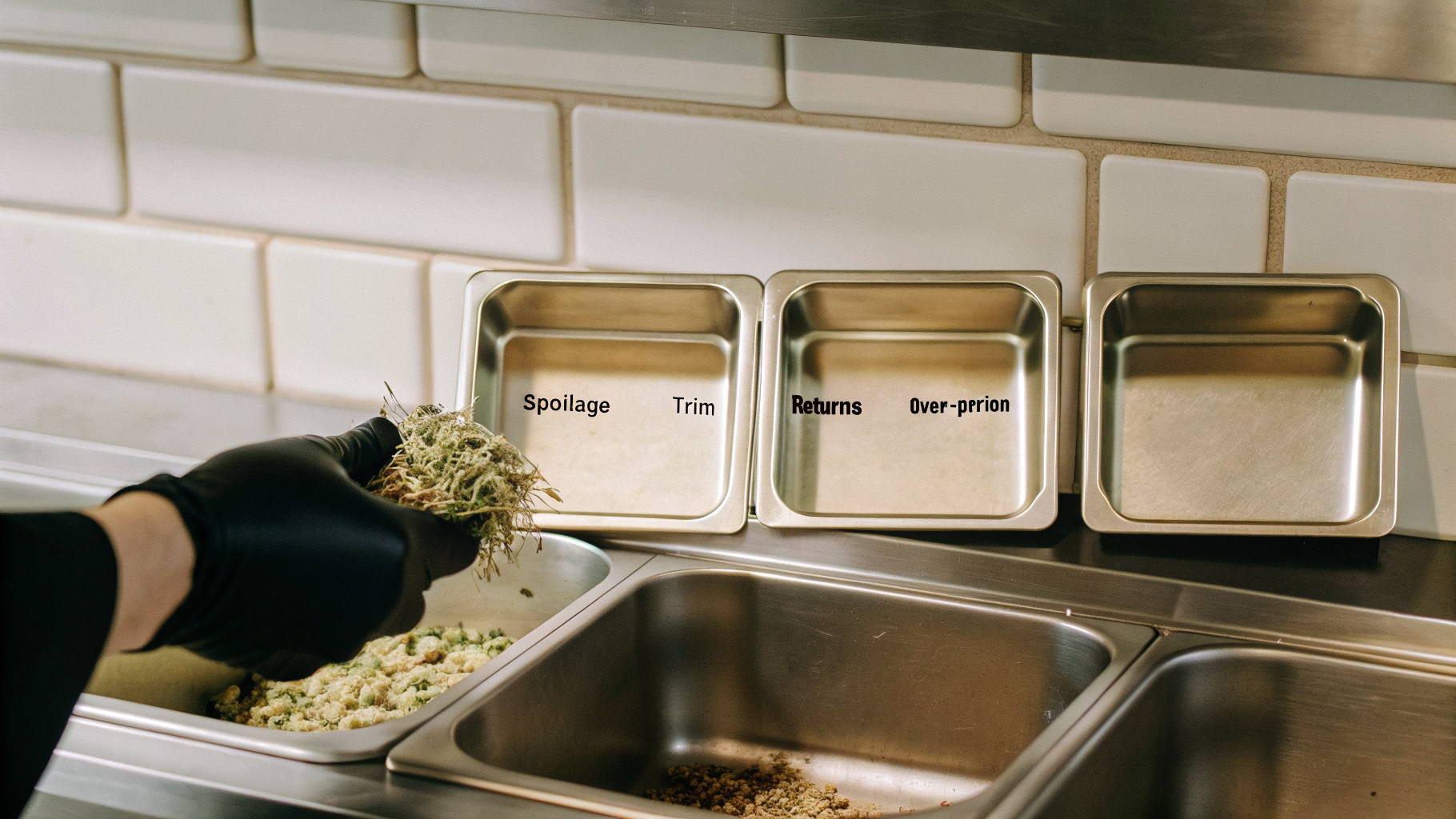
Designate one corner of your kitchen—a small table or shelf—as the waste collection point. Use four labelled bins or containers: spoilage, trim, returns, over-portion.
Step 2: Create a simple log sheet
Use a printed sheet or a shared Google Sheet. Columns: Date | Category | Ingredient | Quantity (kg or count) | Reason | Staff Name.
Post it next to the waste station. Make it easy—one line per entry, no essays.
Step 3: Assign responsibility
One person per shift (usually a senior cook or the owner) reviews the waste bins at the end of service and logs it. Takes 5 minutes. This person also spot-checks during service to catch over-portioning.
Step 4: Weekly review
Every Monday, tally the week's waste by category. Calculate the cost: spoilage (ingredient cost × quantity), trim (ingredient cost × 15–20% of purchase weight, depending on the ingredient), returns (menu price × quantity), over-portion (ingredient cost × quantity).
Example: 2 kg of spoiled prawns at $18/kg = $36 loss. 5 kg of trim from $12/kg chicken = ~$12 loss. 8 returned laksa bowls at $6 COGS = $48 loss. Total: $96 for the week.
Step 5: Act on the data
If spoilage is high, call your supplier and ask for smaller, more frequent deliveries. If trim is high, ask if they can pre-cut or pre-portion. If returns are high on one dish, taste it, adjust the recipe, and retrain staff. If over-portioning is high, weigh out portions and post them on the pass.
Regulatory Angle: RSA and Your Waste Records
Under the [Resource Sustainability Act, large commercial and industrial food waste generators must segregate food waste for treatment and submit annual reports starting from 2024][1]. While most hawker stalls and small cafes fall below the threshold (typically >10 tonnes/year), keeping waste records now positions you to comply easily if you scale.
The [Singapore Food Agency's waste-tracking guidance][3] recommends recording by-products and their fates (composted, treated, disposed). Your category log is the foundation for that.
How Invoco Helps You Track Waste Without the Spreadsheet Headache
 Invoco inventory page with waste log table displaying recent waste entries by category including ingredients, quantities, and reasons
 Invoco inventory management page tracking ingredients and stock levels
Invoco's inventory + recipe costing module lets you log waste directly against recipes and ingredients. When you record spoilage or trim, the system automatically calculates the cost impact and flags ingredients with unusual variance. Instead of a manual Google Sheet, you get a COGS + ingredient variance report that shows you exactly which ingredients are over-budget, which dishes are bleeding margin, and which suppliers are delivering old stock. You can also integrate with your AI invoice OCR to match supplier prices to actual waste, so you see the real cost of spoilage the moment it happens. The result: you spend 10 minutes a week on waste tracking instead of an hour, and you catch cost leaks before they become habits. Invoco
Common Mistakes to Avoid
Mixing categories. Don't lump all waste into one bucket. You won't see patterns.
Not recording reason. "Spoilage" is useless. "Spoilage—mouldy, delivered 3 days old" is actionable.
Forgetting over-portioning. It's the most invisible waste and often the largest. Weigh your plates.
Not acting on the data. Tracking is only useful if you change something. If trim is high, call your supplier. If returns are high, fix the recipe.
Next Steps
Start this week. Pick one shift, one category, and one ingredient. Log it for 7 days. Calculate the cost. Then expand. Within a month, you'll have enough data to make real decisions—and you'll likely find $500–$1,500 in monthly waste you didn't know existed.
For a deeper dive into inventory management, read our guide on [inventory management for perishable items in Singapore F&B][2]. And if you're running multiple outlets, check out how to [automate supplier price updates across locations][4] so you can track waste costs in real time.
Sources
- Restaurant Food Waste Statistics Singapore - Restroworks
- Singapore Waste Management Market Size & Share Analysis
- [[PDF] WASTE MATTERS - Singapore Food Agency](https://www.sfa.gov.sg/docs/default-source/food-science-and-technology/bestpracticenewsletter_wastematters_feb2025.pdf)
- Smart Dining: 5 Profitable SG F&B Trends 2026 - Eats365
- Waste Disposed Of And Recycled, Annual | SINGSTAT | data.gov.sg
- Singapore Waste Management & Recycling in 2026
- Singapore's Evolving F&B Landscape: Trends, Challenges and the ...
- [[PDF] Circular economy in Singapore: waste management, food and ...](https://www.aimspress.com/aimspress-data/urs/2024/2/PDF/urs-02-02-007.pdf)