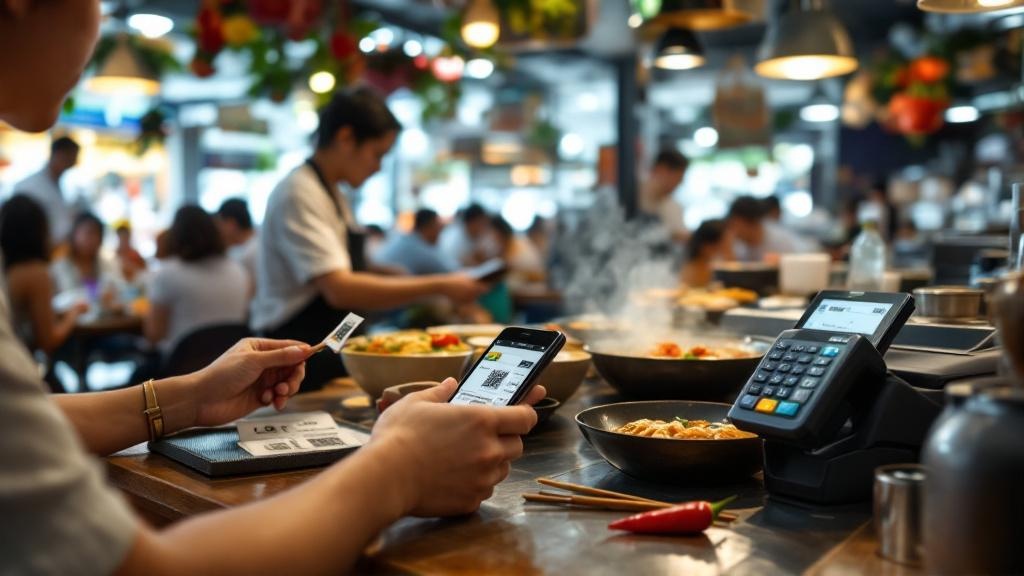
QR Code Ordering POS Integration Singapore Guide 2026
Master QR code ordering integration with POS in Singapore: sync customer orders seamlessly, support PayNow, reduce errors. 2026 guide for cafes, restaurants with top systems like Qashier, Sunpro.
TL;DR: Integrate QR code ordering with your POS to send customer scans straight to kitchen printers, cut order errors by automating entry, and enable PayNow payments—all compliant with Singapore's F&B regs for dine-in or takeaway.
Your customers scan a table QR code, browse the menu, add items, and hit pay. That order hits your POS instantly, no staff relay needed. In Singapore's busy F&B scene, this setup slashes wait times and labour costs. With post-pandemic shifts, klikit reports it's now essential for contactless dining, supporting local payments like PayNow and GrabPay.
Why QR Code Ordering Needs POS Sync in Singapore
Without integration, QR orders land in a separate app, forcing manual POS entry. Errors creep in—wrong modifiers, duplicate bills. Sunday.app explains modern systems use APIs for real-time sync: menu changes update everywhere, sales consolidate in one report.
Benefits stack up for your 2-20 staff outlet:
- Faster tables: Customers order anytime, reorder via same QR without waving staff down.[6]
- Less shrinkage: Real-time inventory flags low stock, prevents oversells.[1]
- PayNow native: Dine-in pays direct from phone, funds hit POS immediately.[3]
- Eco bonus: Ditch printed menus, align with green diner prefs.[5]
Singapore market data shows uptake: Systems like Qashier bundle QR as add-on (Growth Plan included, Essential ~S$ extra/mo excl GST).[6] Sunpro Dine Connect adds loyalty, multi-outlet menus.[3]
Step-by-Step: Integrate QR Ordering with Your POS
1. Check POS Compatibility
Your system needs open APIs or plugins. Qashier, Sunpro, APPZPOS all support QR sync out-of-box.[6][3][8] Older setups? Upgrade or add middleware. Sunday lists: Get API keys from POS provider first.
2. Generate Table-Specific QRs
Create unique codes per table/counter via provider dashboard. WarelyPOS and Rewardly auto-generate for dine-in/takeaway.[9][4] Print stickers or display digitally—no extra hardware.
3. Sync Menus and Modifiers
Upload menu once: prices, allergens, options like 'less spicy'. Changes propagate to QR and POS. Test: Edit an item's price, confirm both reflect it.[2]
Invoco tip: Generate dynamic QR codes tied to table numbers so orders auto-route to the right kitchen display without manual assignment.
4. Link Payments
Integrate PayNow, Nets, cards. Sunpro handles e-wallets; orders pay then sync to POS.[3] Qashier enables direct phone payments via QashierPay, emails receipts.[6] No app needed—works on any browser.
5. Test and Train
Run live tests: Place order, cancel, add-on. Train FOH on troubleshooting (e.g., sync fails). Klikit stresses clear kitchen comms.
Common pitfalls: Menu sync lags, inventory oversell. Fix with real-time APIs; anticipate during setup.[1]
Singapore Regulations for QR-POS Systems
No specific SFA/IRAS rules mandate QR, but comply with basics. SFA Food Hygiene requires allergen display—QR menus must list them clearly. IRAS GST: Ensure POS captures 9% GST accurately on digital orders; integrated systems auto-apply.[1] MOM labour: QR frees staff for value tasks, but clock shifts properly.
Delivery aggregators? POS like those handling GrabFood/Foodpanda consolidate into one feed.[1] Multi-outlet? Sunpro manages menus centrally.[3]
Invoco: Automating Your QR-to-POS Workflow ==
You're juggling WhatsApp supplier chats, paper invoices, and manual order entry while margins shrink from untracked food costs. Invoco's QR ordering module lets customers scan table QRs for zero-app scan-to-order, syncing orders directly to your POS & order taking system with modifiers and table management. Native PayNow + credit card payments handle checkout via QR or device, pushing receipts by email/SMS. Link it to Inventory + recipe costing for auto-cost updates when ingredients fluctuate, and COGS + ingredient variance report flags over-usage post-service. Operators cut order errors 100%, reclaim 2-3 hours daily on admin—try Invoco.
Vendors Comparison
| System | QR Features | Payments | Pricing Note | Best For | |--------|-------------|----------|--------------|----------| | Qashier | Direct POS/kitchen sync, reorders | PayNow, cards, QashierPay | Add-on Essential, incl Growth | Quick setup (48hrs) | | Sunpro Dine Connect | Dine/takeaway/delivery, loyalty | Nets, PayNow, e-wallets | Part of POS suite | Multi-outlet chains | | Rewardly | Online channels, kiosks | Varies | SME-focused | Digital expansion | | APPZPOS | High turnover, few staff | Integrated | Not specified | Busy cafes |
Pick based on outlets/staff: Single hawker? Qashier. Chain? Sunpro.
FAQ
How long to set up QR code ordering POS integration? ###
48 hours with Qashier; others 1-2 days post-API setup.[6]
Does QR integration work with GrabFood/Foodpanda? ###
Yes, POS with aggregator APIs consolidate all orders into one kitchen feed.[1]
Any extra hardware for QR ordering? ###
No—just print QR stickers. Uses customer phones.[3]
Is training required for QR-POS sync? ###
Yes, 1-2 hours on troubleshooting; focus kitchen protocols.[1]
Can QR handle split bills? ###
Most systems support modifiers/splits via POS link.[2]
Sources
- Integrate QR Code Ordering with POS for Seamless Payment - klikit
- QR Code Ordering: How to Integrate This Solution with Your Existing ...
- Sunpro Dine Connect - QR Code Ordering System Singapore
- The 17 Best ePOS POS systems with QR Ordering for SME Singapore
- QR ordering for safety & convenience: the future of dining
- qashier qr code ordering
- How Restaurants Are Using QR Online Ordering to Streamline Service
- Restaurant E-Menu | Singapore Table QR Code Ordering System
- QR Ordering System Singapore – Digital Food Ordering | Warely