POS security best practices for safer restaurant ops
Protect your Singapore restaurant from POS breaches. Learn the top security best practices covering physical checks, software defense, and staff training.
POS security best practices for safer restaurant ops
A single data breach can cost a Singapore restaurant far more than the stolen funds. Between reputational damage, regulatory fines, and operational downtime, the total hit can cripple a small business overnight. Food and beverage SMEs are increasingly in the crosshairs of cybercriminals, and many owners don’t realize their point-of-sale (POS) system is the front door attackers try first. This article breaks down the most effective POS security best practices, from physical terminal checks to staff training routines, so you can protect your customers, your revenue, and your reputation without needing an IT department.
Table of Contents
- Understand the unique risks for Singapore restaurants
- Physical security: Protect your POS terminals from tampering
- Software and network defense: Digital protections that matter
- Staff training and secure operations: Frontline best practices
- Comparing solutions: Which best practices offer the most ROI?
- A pragmatic approach to POS security in Singapore
- Secure your restaurant with Invoco POS
- Frequently asked questions
Key Takeaways
| Point | Details |
|---|---|
| Singapore SMEs at risk | Small restaurants face high risk from POS breaches but can dramatically reduce it with proactive steps. |
| Physical and digital layers | Effective POS security combines vigilant hardware checks with up-to-date software defenses. |
| Staff as first defenders | Trained employees are your best insurance against both physical tampering and cyber threats. |
| Prioritize practical solutions | Focusing on high-value, consistently applied best practices yields better ROI than overcomplicated checklists. |
Understand the unique risks for Singapore restaurants
Small and medium-sized restaurants in Singapore operate in one of the most digitally active payment environments in Southeast Asia. That’s an advantage for customer experience, but it also expands your attack surface. Cybercriminals know that food and beverage SMEs often run lean teams with limited IT support, making them easier targets than large enterprises.
The numbers are sobering. Singapore SMEs lost S$1.1 billion to scams in 2024 alone, with smaller businesses bearing a disproportionate share of losses because their defenses are weaker. Attackers don’t need sophisticated tools when basic vulnerabilities are left open.
Here’s what makes food and beverage SMEs especially attractive targets:
- Outdated POS hardware that hasn’t received security patches in months or years
- High staff turnover, which creates gaps in security awareness and access control
- Multiple payment channels including QR codes, contactless cards, and mobile wallets, each with its own exposure points
- Shared or unsecured Wi-Fi networks that mix customer traffic with payment processing data
- No dedicated IT staff to monitor for unusual activity or respond to incidents quickly
Singapore’s rapid shift to digital payments has also introduced new vectors. Phishing attacks targeting restaurant staff, fake payment terminal swaps, and malware injected through unpatched software are among the common SME cyber threats reported in 2026.
“The weakest link in most SME security setups isn’t the technology. It’s the assumption that attackers won’t bother with a small restaurant.”
Understanding this risk landscape is the foundation for everything else. When you know what you’re defending against, you can make smarter choices about where to invest your time and resources. Proactive restaurant POS security testing is one of the most cost-effective steps you can take before an incident forces your hand.
Physical security: Protect your POS terminals from tampering
Your POS terminal is a physical object, and physical access is often the easiest attack route. Card skimmers, tampered PIN pads, and swapped terminals are real threats that don’t require any hacking skills. A well-run inspection routine is your first line of defense.
Here’s a practical step-by-step routine to keep your terminals secure:
- Inspect terminals at the start of every shift. Look for loose components, unusual attachments, or anything that feels different from yesterday. Skimmers are often designed to blend in, so trust your instincts if something looks off.
- Check cable connections weekly. Loose or unfamiliar cables near your terminal can indicate tampering. Document what a normal setup looks like so staff can spot deviations.
- Secure terminals when not in use. Lock terminals in a drawer or cabinet overnight. An unattended terminal is an easy target for a quick swap or skimmer installation.
- Disable unused USB ports. Attackers can use open USB ports to install malware or data-capture devices. If your terminal has ports you don’t use, physically block or disable them.
- Log and report any anomalies immediately. Create a simple incident log. Even minor observations, like a terminal that was moved, should be recorded and escalated to your manager or payment provider.
- Limit who can touch the terminal. Only trained, authorized staff should handle POS devices. Restrict access during busy periods when distractions make tampering easier to miss.
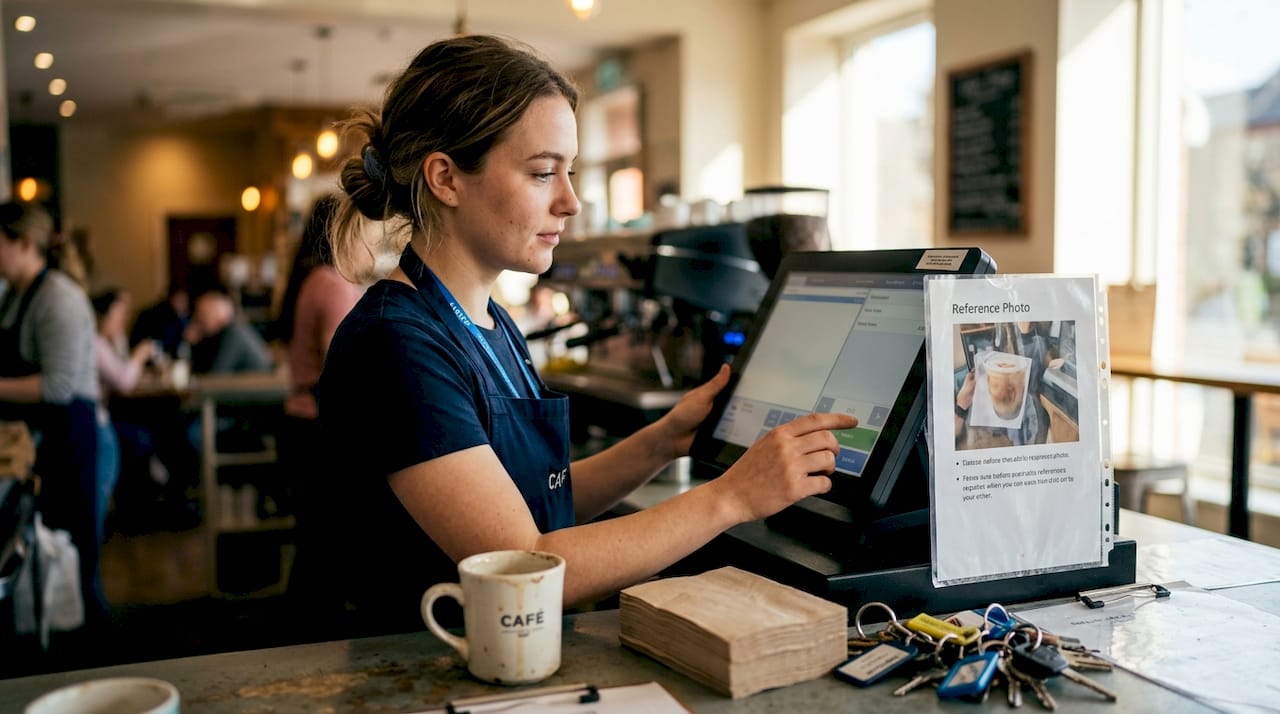
Pro Tip: Take a photo of your terminal setup on day one and keep it on file. New staff can use it as a reference to quickly spot anything that looks different during their opening checks.
Physical security doesn’t require expensive equipment. It requires consistent habits. Following POS security best practices for terminal inspection is one of the simplest ways to close a major vulnerability that many restaurants overlook entirely.
Software and network defense: Digital protections that matter
Once your physical setup is locked down, the next layer is your digital environment. Software vulnerabilities are the most common entry point for sophisticated attacks, and the fix is often simpler than owners expect.
The single most impactful action you can take is keeping your POS software current. Outdated software creates vulnerabilities that attackers actively scan for and exploit. Enable automatic updates wherever possible, and set a monthly calendar reminder to manually check if your system is running the latest version.
Here are the must-do IT controls for restaurant operators:
- Install antivirus or endpoint detection and response (EDR) software on any device connected to your POS network
- Segment your Wi-Fi networks so customer-facing connections are completely separate from payment processing traffic
- Run quarterly vulnerability scans to identify weak points before attackers do
- Schedule annual penetration tests if your business processes a high volume of card transactions
- Use strong, unique passwords for all POS accounts and change them whenever a staff member leaves
Cloud-based POS systems have a meaningful advantage here. Cloud POS auto-updates reduce your exposure window because patches are applied centrally, without relying on individual staff to act. You don’t have to remember to update. It just happens.
| Feature | On-premise POS | Cloud POS |
|---|---|---|
| Software updates | Manual, often delayed | Automatic, centrally managed |
| Vulnerability exposure | Higher, depends on staff action | Lower, patches applied instantly |
| Data storage | Local device (higher theft risk) | Encrypted cloud servers |
| Remote monitoring | Limited or none | Built-in, real-time alerts |
| Compliance reporting | Manual documentation | Automated logs and audit trails |
Pro Tip: Ask your POS vendor directly whether they offer automatic security patches and what their response time is for critical vulnerabilities. If they can’t answer clearly, that’s a red flag worth acting on.
Running regular restaurant POS vulnerability scans doesn’t need to be expensive. Many cloud providers include basic scanning as part of their service tier, making this a low-cost, high-value habit.
Staff training and secure operations: Frontline best practices
Technology only works as well as the people using it. Your staff interact with your POS system dozens of times every shift, which means they’re either your strongest security asset or your biggest vulnerability. The difference comes down to training.
Effective security training doesn’t have to be a lengthy seminar. Short, focused sessions tied to real scenarios work far better than annual compliance tick-boxes. Train new staff during onboarding, and run brief refreshers every quarter to keep awareness sharp without creating checklist fatigue.
Teach every team member to recognize these red flags:
- A customer who lingers near the terminal or asks to handle the device themselves
- Unfamiliar cables, attachments, or components on or near the POS
- Requests to override security prompts or skip standard payment steps
- Emails or messages claiming to be from your payment provider asking for login credentials
- Transactions that fail repeatedly and prompt staff to try alternative methods
“The cost of remediation after a breach, including fines, downtime, and reputation repair, consistently exceeds the cost of prevention. Training your team is one of the highest-ROI investments you can make.”
Establish a clear reporting channel so staff feel comfortable flagging concerns without fear of overreacting. A simple WhatsApp group with the manager or a physical incident log at the counter works fine for most small restaurants. The goal is to make reporting frictionless.
When staff know what to look for and have a clear path to report it, you dramatically reduce the window between an incident and your response. Regular conducting POS security tests with your team, including mock scenarios, builds muscle memory that holds up under the pressure of a busy Friday dinner service.
Comparing solutions: Which best practices offer the most ROI?
Not every security measure delivers equal value for a small restaurant operating on tight margins. Prioritizing by return on investment helps you build a strong foundation without overextending your budget or your team’s attention.
| Security practice | Investment required | Risk reduction | Best for |
|---|---|---|---|
| Daily terminal inspections | Low (time only) | High | All restaurants |
| Software auto-updates (cloud POS) | Low to medium | Very high | All restaurants |
| Staff security training | Low | High | All restaurants |
| Network segmentation | Medium (one-time setup) | High | Mid-size and above |
| Antivirus/EDR software | Low to medium (subscription) | Medium to high | All restaurants |
| Quarterly vulnerability scans | Medium | High | Restaurants with card volume |
| Annual penetration testing | High | Very high | High-volume or multi-outlet |
For most small Singapore restaurants, the top three rows deliver the best results per dollar spent. They require minimal financial outlay and can be implemented this week. The prevention ROI is high precisely because remediation costs, from regulatory fines under Singapore’s Personal Data Protection Act to lost customer trust, are significant and often disproportionate to the size of the business.
If you’re running a single-outlet hawker concept or a small bistro, start with inspections, cloud POS auto-updates, and a one-hour staff training session. That combination closes the majority of your risk exposure. As you grow, layer in network segmentation and periodic vulnerability scans.
For multi-outlet operators or restaurants processing high card volumes, annual penetration testing becomes worth the investment. It surfaces vulnerabilities that automated scans miss and gives you documented evidence of due diligence if a dispute ever arises with your payment processor or regulator.
A pragmatic approach to POS security in Singapore
Here’s something most security guides won’t tell you: trying to implement every best practice at once is one of the most common reasons restaurant owners end up with gaps. When everything feels urgent, nothing gets done consistently.
The smartest operators we’ve seen in Singapore don’t have the most elaborate security setups. They have a small number of habits they follow without exception. Daily terminal checks. Automatic software updates. A trained team that knows three or four specific things to watch for. That’s it.
Security fatigue is real. When staff are handed a 20-point checklist during a lunch rush, they skip steps. When owners invest in tools they don’t understand, those tools get misconfigured or ignored. Simplicity, applied consistently, beats complexity applied occasionally.
Cloud-based systems like Invoco POS make consistency easier because they automate the parts of security that humans are most likely to forget. Auto-updates, encrypted data storage, and built-in compliance reporting remove the reliance on individual memory or discipline. You still need the physical checks and the trained staff. But the digital layer takes care of itself.
Focus on the fundamentals. Do them every day. Then add complexity only when your volume or risk profile genuinely demands it.
Secure your restaurant with Invoco POS
If the best practices in this article feel like a lot to manage on top of running a busy restaurant, that’s exactly the problem Invoco POS was built to solve.
Invoco POS is a cloud-based, PCI-DSS compliant platform built specifically for Singapore’s food and beverage industry. It handles automatic software updates, encrypted payment processing across Stripe, PayNow, and GrabPay, and provides a centralized dashboard that makes compliance reporting straightforward. Setup takes about 15 minutes, and the platform is designed to reduce the security burden on your team without adding complexity. If you want a POS system that builds security in by default rather than treating it as an afterthought, Invoco POS is worth exploring.
Frequently asked questions
What is the first step to improving POS security in my restaurant?
Start with a physical and digital assessment of your current setup, checking for visible terminal tampering signs and confirming your software is fully up to date. This baseline review takes less than an hour and immediately reveals your most urgent gaps.
How often should I update my POS software?
Update your POS software as soon as new releases are available, and check for updates monthly at minimum. Cloud-based systems handle this automatically, which removes the risk of delayed patching.
Do cloud-based POS systems offer better security?
Cloud POS auto-updates reduce your exposure window significantly compared to on-premise systems that depend on manual action. They also store data on encrypted servers rather than local devices that can be physically stolen or compromised.
Why is staff training crucial for POS security?
Well-trained staff catch suspicious activity before it becomes a breach, and the cost of prevention is consistently lower than the fines, downtime, and reputation damage that follow an incident. A one-hour training session is one of the highest-value investments a small restaurant can make.