Why mobile POS solutions transform restaurant efficiency
Discover how mobile POS solutions help Singapore restaurant owners cut costs, speed up service, and boost revenue. A practical guide for SME operators in 2026.
Why mobile POS solutions transform restaurant efficiency
Most restaurant owners in Singapore assume upgrading their point-of-sale system means spending tens of thousands of dollars on bulky hardware, long installation timelines, and weeks of staff retraining. That assumption is costing them real money. Mobile POS solutions have quietly reshaped how small and medium-sized restaurants operate, turning a smartphone or tablet into a full-service ordering and payment hub. This guide breaks down exactly how mobile POS works, what it delivers for Singapore eateries, where the pitfalls are, and how to make the switch without disrupting your daily service.
Table of Contents
- How mobile POS solutions work in restaurants
- Core benefits for Singapore restaurant owners
- Common challenges and what to watch out for
- Making the switch: Practical steps for Singapore restaurants
- Our take: What most guides get wrong about mobile POS adoption
- See mobile POS solutions in action with Invoco POS
- Frequently asked questions
Key Takeaways
| Point | Details |
|---|---|
| Increases service speed | Mobile POS allows faster order taking and payment, reducing wait times for customers. |
| Lowers operational costs | Mobile POS solutions often cost less upfront and use manageable subscription models ideal for SMEs. |
| Improves revenue potential | Switching to mobile POS has led to significant revenue boosts for restaurants adopting these systems. |
| Enables local digital payments | Singapore-ready mobile POS supports NETS, PayNow, and popular e-wallets for seamless cashless payments. |
| Requires mindful selection | Choose trusted vendors for reliable hardware, support, and future upgradability to avoid costly mistakes. |
How mobile POS solutions work in restaurants
With the stage set, let’s dive into what mobile POS actually looks like in action.
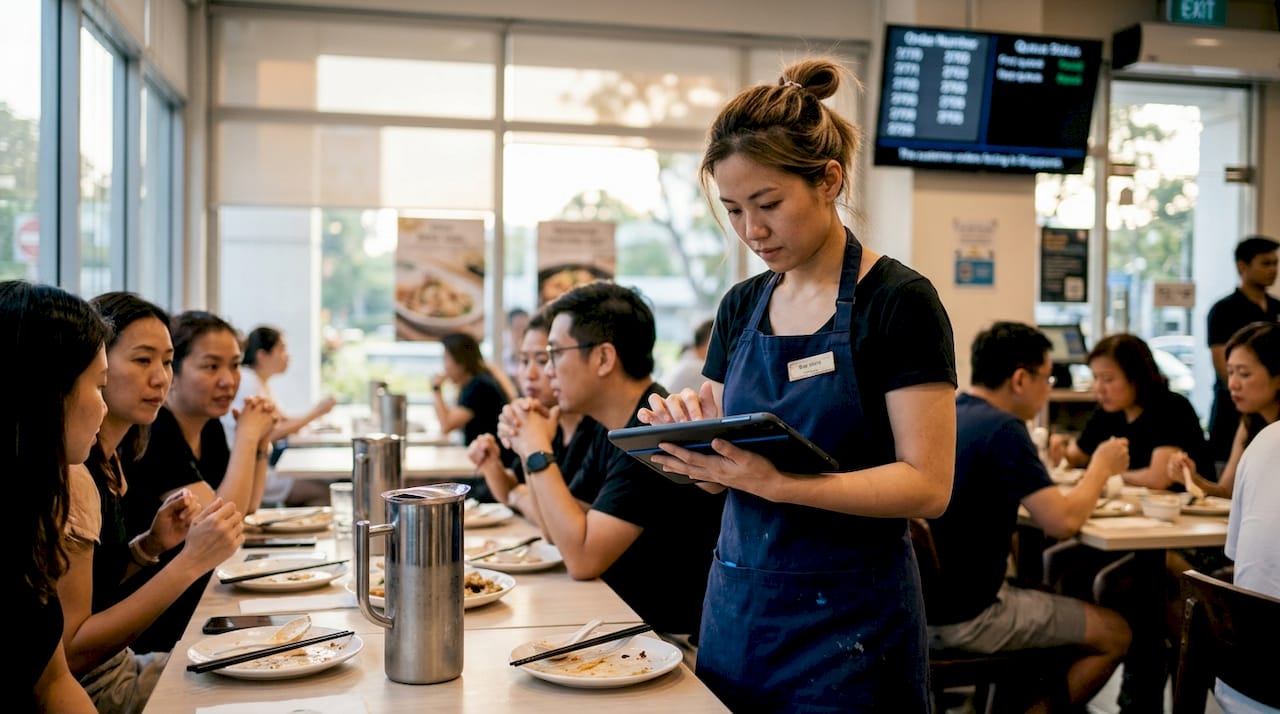
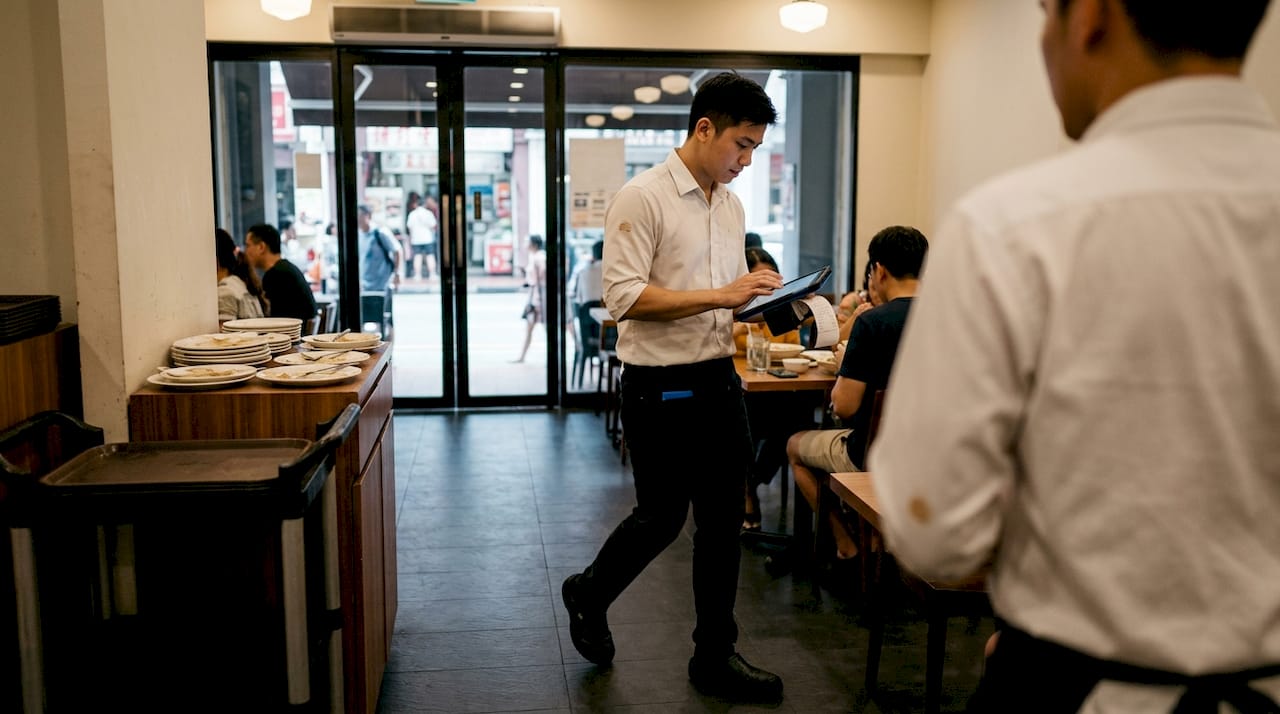
A mobile POS system replaces the fixed terminal on your counter with an app running on a smartphone or tablet. Your staff walk the floor, take orders directly at the table, and process payments on the spot. No more running back to a fixed station, no more order slips getting lost in transit.
The real power is in the cloud-based operation. Orders sync instantly to kitchen displays or printers the moment they are placed, so your kitchen team sees tickets in real time without waiting for a server to relay them. Everything connects through a central dashboard, giving you a live view of every table, order, and transaction happening in your restaurant right now.
Here is what a typical setup looks like for a Singapore restaurant:
- Download the POS app onto your preferred device (iOS or Android).
- Connect the app to your WiFi network and configure your menu items.
- Link your payment processor to accept NETS, PayNow, GrabPay, or card payments.
- Pair the app with your kitchen printer or display.
- Assign staff accounts and set permission levels.
- Run a test order from table to kitchen before going live.
The whole process can take as little as 15 minutes for a straightforward setup. Compare that to traditional systems that often require a technician visit and a half-day installation.
| Feature | Traditional POS | Mobile POS |
|—|—|—|
| Setup time | Hours to days | Under 30 minutes |
| Hardware cost | High (fixed terminals) | Low (existing devices) |
| Order entry location | Counter only | Anywhere in the venue |
| Kitchen sync | Manual or wired | Real-time, wireless |
| Payment flexibility | Limited | Multi-method, tableside |
Pairing tableside service with mobile POS also reduces the number of trips your staff make between tables and the kitchen, which directly cuts service time per cover.
Pro Tip: Invest in rugged, drop-resistant cases for your devices. Restaurant floors are unforgiving, and a cracked screen during a Friday dinner rush is the last problem you want.
Core benefits for Singapore restaurant owners
Now that the basic mechanics are clear, let’s zero in on what these changes mean for actual restaurant operations and your bottom line.
Speed is the most immediate win. 60% of consumers abandon purchases because of long wait times, and mobile POS eliminates that friction by letting staff process sales anywhere on the floor. During a busy lunch rush, that difference can mean fitting in one extra seating cycle per table.
Cost is the second major advantage. Lower upfront hardware costs and subscription-based software models make mobile POS far more accessible for SMEs than traditional systems, which often require large capital outlays for proprietary terminals and software licenses.
For Singapore specifically, cashless payment support is non-negotiable. A capable mobile POS handles NETS, PayNow, GrabPay, and credit cards without needing separate terminals cluttering your counter. That streamlines checkout and keeps your front-of-house looking clean and professional.
Table turnover is another area where mobile POS earns its keep. When orders are placed and sent to the kitchen the moment a customer decides, and when payment is settled at the table without waiting for a bill to be printed and carried back and forth, each table cycle shortens. Over a week of service, those minutes add up to meaningful additional revenue.
The numbers back this up. 84% of full-service restaurants reported a revenue boost after upgrading to advanced POS systems that include mobile capabilities. That is not a marginal improvement. That is a structural change in how efficiently a restaurant earns.
Here is a quick summary of the operational advantages for restaurants that mobile POS delivers:
- Faster order-to-kitchen communication
- Reduced human error in order transcription
- Tableside payment processing with multiple methods
- Real-time sales and inventory data
- Lower hardware and maintenance costs
- Easier staff onboarding with intuitive apps
Common challenges and what to watch out for
While mobile POS brings many benefits, there are practical considerations before you invest.
Battery life is the most overlooked issue. A tablet running a POS app continuously through a six-hour dinner service will drain fast. Battery life issues during long shifts, WiFi dependency, and the need for rugged cases in kitchen environments are real operational concerns that can disrupt service if you are not prepared.
WiFi reliability is equally critical. Mobile POS systems depend on a stable connection to sync orders and process payments. If your router is outdated or your venue has dead zones, you will run into dropped connections at the worst possible moments. Always test your network coverage across every corner of your dining area before going live.
Not every venue is the right fit either. Best suited for small spaces, pop-ups, and food trucks, mobile POS is less ideal for extremely high-volume operations that rely on fixed, high-speed terminals to process hundreds of transactions per hour.
Here are the most common pitfalls and how to sidestep them:
- Battery drain: Keep charging cables and portable power banks at your service station.
- WiFi outages: Choose a POS with offline mode so orders can still be captured without a connection.
- Device damage: Use rugged cases and screen protectors on all devices.
- Staff resistance: Run short training sessions before launch, not during a busy shift.
- Vendor lock-in: Check whether your POS data can be exported if you switch providers.
“The right mobile POS should make your team faster and more confident, not create new headaches. Evaluate vendors on their local support quality, not just their price.”
Pro Tip: Always ask vendors specifically about their local after-sales service in Singapore and whether they offer hardware swap arrangements if a device fails mid-service. This single question will tell you a lot about how seriously they take operational continuity.
When choosing mobile POS solutions, prioritize vendors who understand the Singapore market, offer local support, and can demonstrate uptime reliability.
Making the switch: Practical steps for Singapore restaurants
Knowing what to watch out for, let’s look at what it actually takes to move to mobile POS in your business.
Start by auditing what you actually need the system to fix. Is it slow order times? Payment friction? Poor visibility into your daily sales? Your answer shapes which features matter most and prevents you from paying for capabilities you will never use.
Next, shortlist solutions built for Singapore. That means native support for PayNow, NETS, and GrabPay, local customer support, and compliance with Singapore’s data protection requirements. A system designed for a different market may leave gaps that create real problems during service.
Budget carefully. Factor in the device cost if you are buying new hardware, the monthly software subscription, any peripheral costs like receipt printers, and staff training time. Government grants like PSG can subsidize a significant portion of your adoption costs, so check your eligibility before committing to a vendor.
Here is a practical action list for making the switch:
- Define your top three pain points that a new POS must solve.
- Research and shortlist two or three Singapore-compatible mobile POS providers.
- Request demos and ask specifically about offline mode, local payment support, and after-sales service.
- Check PSG grant eligibility and pre-approved vendor lists.
- Run a parallel test of the new system alongside your existing setup for one week.
- Train all staff before the full go-live date.
- Review your sales and service data after 30 days to measure impact.
“A bakery chain that implemented an integrated POS system achieved a 20% revenue increase through omnichannel synchronization, demonstrating how the right system pays for itself quickly.”
Following a structured step-by-step POS adoption process reduces the risk of disruption and gives your team time to build confidence with the new tools before peak service hours.
Our take: What most guides get wrong about mobile POS adoption
Now, here is a take you will not hear from most mainstream buying guides.
The biggest mistake Singapore restaurant owners make is treating mobile POS as a commodity purchase. They compare price tags, pick the cheapest option, and then discover six months later that the hardware degrades quickly, the support team is unreachable, and the system cannot handle a local payment method their customers expect.
Cheap mobile POS risks poor hardware quality and inadequate support, leading to rapid replacement costs that wipe out any initial savings. The real cost of a bad POS is not the purchase price. It is the lost revenue from downtime, the staff frustration, and the customer experience damage during a failed transaction.
What actually drives ROI is reliability and how fast your team gets up to speed. A system that works every single service, processes every payment method your customers use, and has a local support team you can call on a Saturday night is worth far more than a cheaper alternative that fails under pressure.
When evaluating trusted mobile POS providers, ask for references from Singapore restaurants of similar size and volume. Real-world performance in your specific context matters more than any feature checklist.
See mobile POS solutions in action with Invoco POS
Ready to take the next step? Explore a proven solution used by leading local restaurants.
Invoco POS is built specifically for Singapore’s food and beverage industry, combining QR code ordering, tableside payments, kitchen printing, and real-time analytics in a single platform that takes about 15 minutes to set up.
It supports PayNow, GrabPay, Stripe, and cash out of the box, so your customers can pay however they prefer without any extra terminals. The platform is PCI-DSS compliant, meaning your payment data is protected to the same standard as a bank. Whether you run a hawker stall, a bistro, or a multi-table restaurant, learn more about Invoco POS and see how it fits your operation.
Frequently asked questions
Is mobile POS secure for Singapore restaurant payments?
Yes, leading mobile POS systems use bank-grade encryption and are fully compatible with Singapore’s main cashless methods. Local payment support for NETS, PayNow, and GrabPay is built into reputable platforms designed for the Singapore market.
How much does it cost to set up mobile POS in a small restaurant?
Mobile POS typically costs less upfront than traditional systems because you can use existing devices and pay a monthly subscription instead of a large capital sum. Singapore SMEs can further reduce costs through government grants like PSG that subsidize approved technology adoption.
What happens if the WiFi goes down during service?
Many mobile POS platforms include an offline mode that lets staff continue taking orders even without a live connection, syncing everything once connectivity is restored.
Can mobile POS be used by staff with limited tech experience?
Absolutely. Most mobile POS apps are designed with simple, intuitive interfaces that mirror everyday smartphone use. The cloud-based design means there is no complex local software to manage, and most staff are comfortable within a single shift.