Best KDS for Fast Food & Drive-Thru in Singapore 2026
Best kitchen display systems for fast food restaurants and drive-thru in Singapore. Compare KDS features for assembly-line production, order routing, and drive-thru integration.
A ramen shop in Tanjong Pagar with a single pass and a queue out the door. A bubble tea kiosk in Jurong Point churning out 200 drinks a shift. A chicken rice stall in a Clementi hawker centre doing 300 covers at lunch. For fast food and assembly-line kitchens in Singapore, a kitchen display system (KDS) isn't a luxury—it's the difference between chaos and rhythm.
Unlike fine dining, where tickets can sit and orders are plated individually, fast food lives or dies on speed, accuracy, and throughput. A KDS routes orders from your POS, delivery apps, and online channels to kitchen screens in real time, replacing paper tickets and the shouting that eats into prep time.[1] But not all KDS are built the same. Some are designed for multi-station coordination; others prioritize drive-thru integration and assembly-line flow.
Here's what you need to know to pick the right one—and what Singapore operators are actually using.
Why KDS Matters for Fast Food
 Invoco orders page with active and completed tickets
The numbers are stark. Restaurants using a KDS see an average 94% return on investment, with most hitting ROI in 3–6 months through faster service and fewer missed orders.[2] For fast food, that translates to:
- Fewer errors: Digital tickets with clear modifiers and allergen warnings cut order mistakes by showing typed orders instead of handwritten scrawls.
- Faster prep: Orders display in real time with timing flags—green (on track), yellow (approaching target), red (late). Kitchen staff prioritize without guessing.[1]
- Better throughput: Automatic ticket routing to the right station means your team focuses on execution, not coordination.
- Drive-thru sync: Modern KDS pull orders from drive-thru terminals, online ordering, and delivery apps into a single queue, so nothing gets lost between channels.
Invoco tip: If you're running multiple order channels (dine-in, takeaway, delivery), a KDS that syncs all three into one kitchen view will cut your average ticket time by 15–20%.
The Key Features to Look For
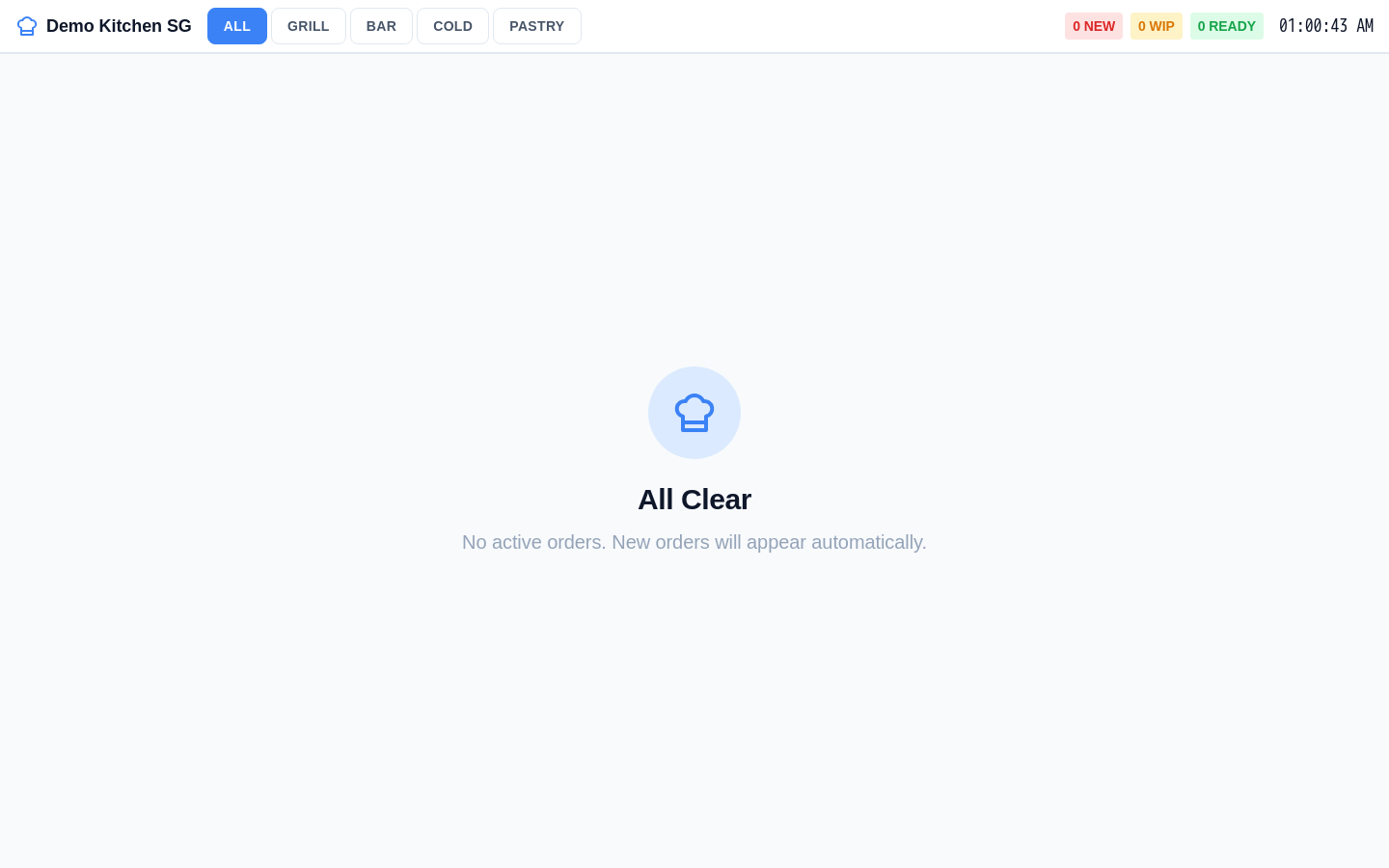 Invoco kitchen display system showing active tickets with prep timers
Order Routing & Station Assignment
Your KDS must route orders to the right station automatically. If you have a fryer station, a grill station, and an assembly station, the system should know which items go where—and send them there without manual intervention.[3] This is non-negotiable for fast food. Look for systems that let you assign menu items or categories to specific screens during setup, so a burger order hits the grill screen and fries hit the fryer screen simultaneously.
Modifier Display & Allergen Warnings
Modifiers—no onion, extra sauce, gluten-free bun—must display prominently: bold text, highlighting, or separate modifier lines.[1] Allergen warnings should be impossible to miss. For a hawker stall or fast casual chain, a single missed "no peanuts" order can be a liability and a lost customer.
Drive-Thru Integration
If you have a drive-thru window, your KDS needs to pull orders from the drive-thru terminal and display them alongside dine-in and takeaway tickets. Some systems (like Square KDS and Lightspeed KDS) sync third-party delivery orders into one queue, so your kitchen sees everything in order of priority.[3]
Performance Insights
You need visibility into ticket times, bottlenecks, and staff productivity. Which station is slowing you down? Are you hitting your target prep times during lunch rush? A KDS that logs this data helps you spot problems before they tank your service.
Top KDS Options for Singapore Fast Food
Square KDS
Square KDS starts at S$25/mo per screen (roughly S$35–40 SGD depending on exchange rates) and integrates directly with Square POS terminals.[8] It's clean, straightforward, and works well for single-location fast food shops. Tickets display modifications, timing, and order source. The downside: if you're already on a different POS (Clover, Toast, Lightspeed), you'll need to switch or use middleware.
Lightspeed KDS
Lightspeed KDS is a versatile system with a clean interface and excellent multi-location management.[4] It syncs orders from Lightspeed POS, online ordering channels, and delivery apps. If you're running a small chain (2–3 outlets), Lightspeed's centralized dashboard lets you monitor all kitchens from one screen. Pricing is typically bundled with Lightspeed POS; expect S$80–150/mo for a single outlet.
Toast KDS
Toast is enterprise-grade and popular with larger fast casual chains. It routes orders intelligently, flags VIP or rush orders, and provides detailed performance insights.[2] The trade-off: Toast is overkill for a single hawker stall and pricing starts higher (typically S$200+/mo). Use Toast if you're running 5+ outlets or have complex multi-station workflows.
Appzpos KDS (Singapore-Based)
Appzpos is a Singapore-based POS provider with a KDS built for local hawker and fast food operators.[5][7] Orders are automatically delivered and categorized on a single screen, and the system is designed to work with Singapore payment methods (PayNow, credit card). Pricing is competitive, and support is local. The catch: Appzpos is less well-known than Square or Toast, so you'll need to trial it carefully.
Hashmato KDS (Singapore-Based)
Hashmato is another Singapore vendor offering KDS with a focus on faster order fulfillment and multi-outlet management.[6] Orders are transmitted instantly, reducing prep times. Like Appzpos, Hashmato is built for the SG market, but you'll want to compare feature parity with international options before committing.
How to Choose: A Simple Framework
Single outlet, simple menu (hawker stall, fast casual)? Square KDS or Appzpos. Low cost, fast setup, minimal training.
2–3 outlets, multiple stations, drive-thru? Lightspeed KDS. Multi-location dashboard, solid order routing, good value.
5+ outlets, complex workflows, heavy delivery integration? Toast. Enterprise features, but expect higher cost and longer implementation.
Want local support and Singapore-native payment integration? Appzpos or Hashmato. Trade some global polish for faster onboarding and local know-how.
Invoco's Approach to Kitchen Display
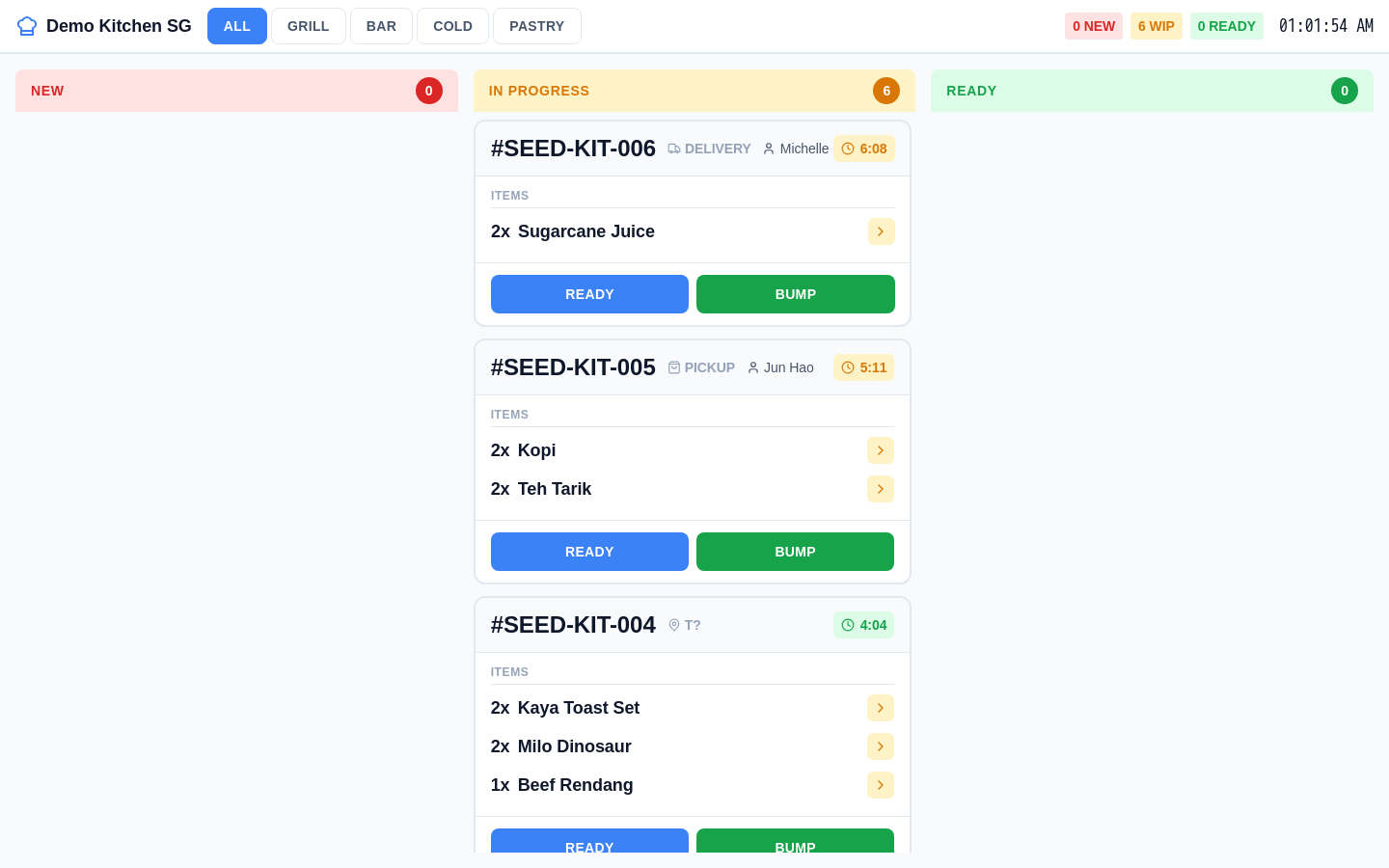 Invoco kitchen display system showing station tabs, active order tickets with status badges, timers, and modifiers for high-volume fast food prep
Invoco's kitchen display module is built for Singapore fast food and hawker operators juggling multiple order channels without the overhead of enterprise systems. When you're running a ramen stall or a bubble tea kiosk with one or two staff, you don't need Toast's complexity—you need orders to hit the screen fast, modifiers to be crystal clear, and your team to move. Invoco's KDS syncs PayNow and card payments, routes orders from your POS and QR ordering system to kitchen screens, and flags prep times in real time. The result: fewer missed orders, faster throughput, and less time spent managing tickets instead of cooking. Invoco is priced for owner-operators, starting at S$49/mo for a single outlet, with no per-transaction fees on cash or PayNow.
The Real-World Difference
A KDS won't magically make you faster if your kitchen workflow is broken. But paired with clear station assignments, realistic prep-time targets, and staff who know how to read the screen, a KDS cuts average ticket time by 15–20% and order errors by 30–40%.[2] For a fast food shop doing 200–300 covers a shift, that's the difference between a stressed team and a smooth one.
Start with a trial. Most vendors (Square, Lightspeed, Appzpos) offer 30-day trials. Run lunch rush on your current system, then switch to the KDS for the next day and time your tickets. You'll see the difference immediately.
If you're also managing inventory and supplier costs, pair your KDS with inventory software with low stock alerts so you never run out of fries or sauce mid-service. And if you're scaling to multiple outlets, read up on POS for food court stalls to see how other operators manage high-turnover environments.
Sources
- Kitchen Display Systems for Fast Casual Restaurants | KDS Guide
- Kitchen Display System for Fast Casual Restaurants Explained
- 6 Best KDS for Order Routing December 2025 - Loman AI
- Restaurant Kitchen Display System Guide - Restaurant365
- Kitchen Display System - Singapore - Appzgate
- Kitchen Display System for Restaurants in Singapore - Hashmato
- Restaurant Kitchen Display System | APPZPOS KDS System
- Kitchen Display System (KDS) for Restaurants - Square
- Best Kitchen Display System for Restaurants | OneHubPOS for KDS