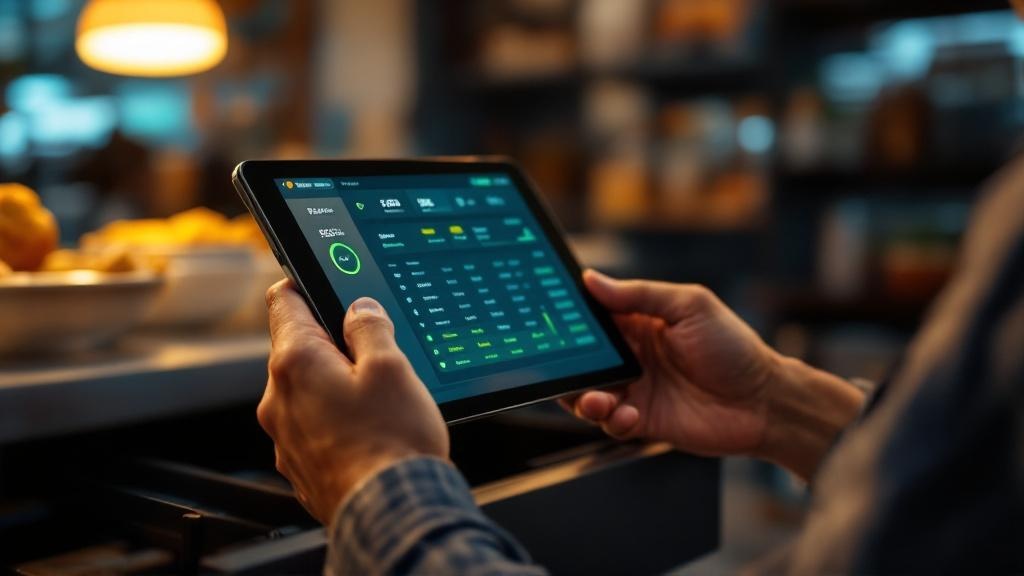
Automate End-of-Day Reports: Singapore F&B POS Guide
Automate end-of-day reports for Singapore F&B restaurants. Real-time POS dashboards, inventory sync, and cash reconciliation—built for hawkers, cafes, and chains.
TL;DR: Modern POS systems eliminate manual end-of-day tallying by auto-generating sales, cash, and inventory summaries in real time. For Singapore F&B operators, this means fewer hours closing the register, faster cost spotting, and compliance-ready records for IRAS and SFA audits.
Why End-of-Day Automation Matters for Your F&B Business
!Invoco analytics dashboard with revenue charts and 7-day forecast Invoco analytics dashboard with revenue charts and 7-day forecast
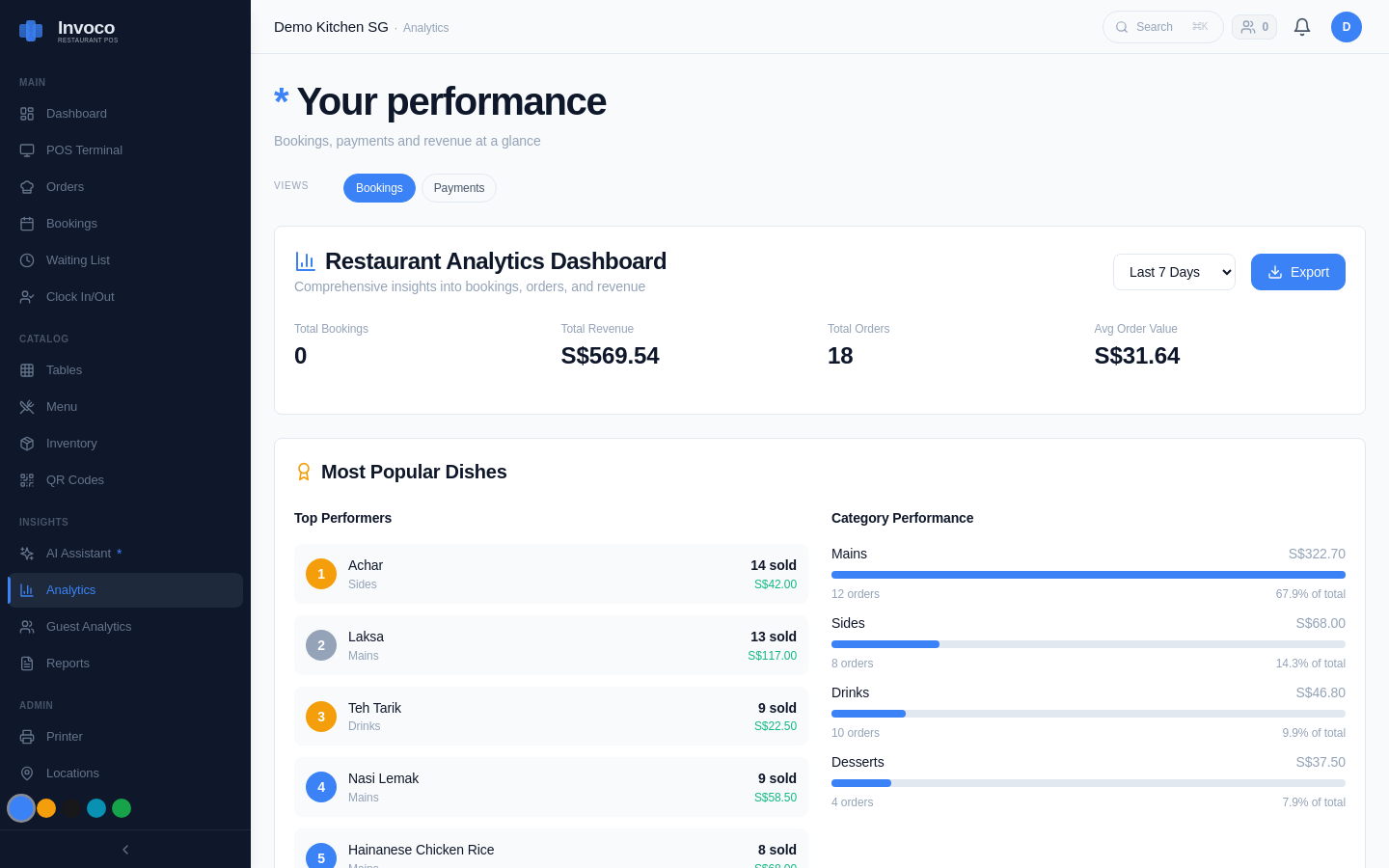
If you're still hand-counting the register, cross-checking a spreadsheet, and texting your suppliers about stock levels at 10 PM, you're burning time that could go to your kitchen or customers. [End-of-day (EOD) operations significantly impact daily operational efficiency][6]—accurate revenue recording, inventory management, and task completion set up your next day to succeed. But doing this manually is error-prone and exhausting.
Real-time POS reporting flips the script. [Managers no longer need to wait for end-of-day reports—they can view sales data as it happens from any device][2]. For multi-outlet operators, this is critical: [real-time reporting offers immediate insights into sales trends across all locations][2], so you spot a slow lunch service or a supplier price spike before it tanks your margin.
Invoco tip: Set your POS to email or SMS you a daily summary 30 minutes before close—gives you time to investigate any anomalies while staff are still on hand.
What Automated EOD Reports Should Include
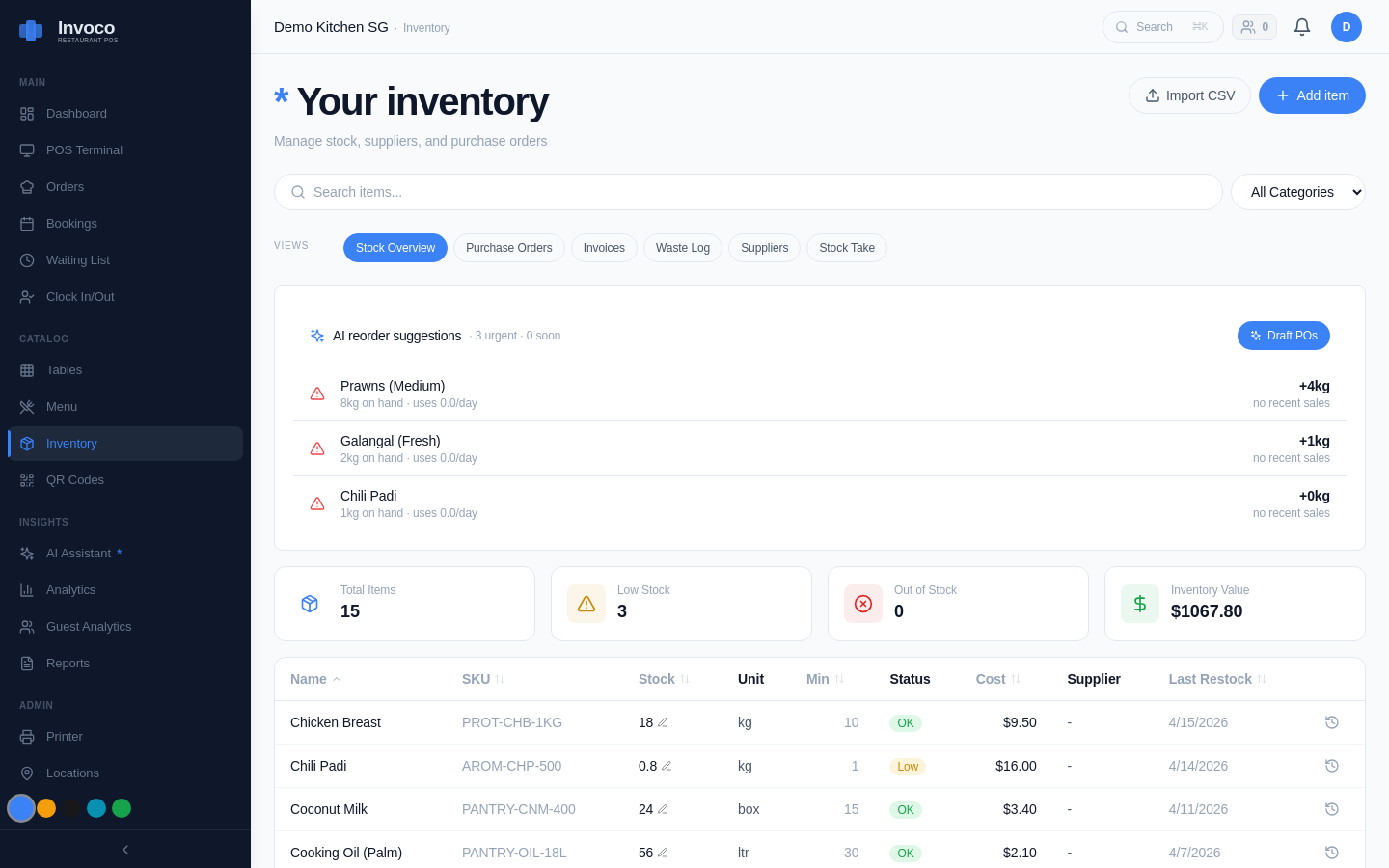
!Invoco inventory management page tracking ingredients and stock levels Invoco inventory management page tracking ingredients and stock levels
Sales & Revenue Summary
[Real-time data shows you which menu items are selling fast and which aren't moving][2]. Your POS should auto-tally:
- Gross sales by payment method (cash, PayNow, card)
- Discounts and voids
- Tax (GST, if applicable)
- Net revenue
This data feeds straight into your IRAS records—no re-entry, no transcription errors.
Cash Reconciliation
Your system should compare expected cash (sales minus card/PayNow) against actual drawer count. Discrepancies flag immediately, so you can investigate shrinkage or staff errors on the day they happen, not weeks later.
Inventory & Cost of Goods Sold (COGS)
The best POS systems auto-sync inventory when you ring up a sale. At EOD, you get:
- Items sold by quantity and cost
- Estimated COGS percentage
- Ingredients trending over or under budget
This is where you catch waste. If your chicken usage spiked 15% but sales only grew 3%, something's wrong—over-portioning, spoilage, or theft.
Staff Performance
If your POS tracks who rang each transaction, EOD reports can show sales per staff member, void rates, and discounts given. This helps you coach underperformers and reward top sellers.
How Singapore F&B Operators Benefit
Compliance & Audit Ready
Singapore's tax authority (IRAS) expects restaurants to maintain accurate daily sales records. [A reliable restaurant POS with real-time reporting can transform the way you manage your F&B business][2]. Automated EOD reports mean your books are always audit-ready—no scrambling to reconstruct July's numbers when SFA or IRAS calls.
Multi-Outlet Control
[For businesses managing more than one outlet, such as F&B chains or franchise cafes, real-time reporting offers immediate insights into sales trends across all locations][2]. You can compare outlet performance, spot which branch is underperforming, and adjust staffing or menu pricing per location without guessing.
Faster Supplier & Inventory Decisions
When you know your daily COGS and ingredient usage in real time, you can negotiate better with suppliers. If beef is costing you 28% of revenue but chicken is only 12%, you can push suppliers on beef pricing or adjust your menu mix. No more waiting for month-end to realize you've been overpaying.
How Invoco Automates Your EOD Workflow
!Invoco analytics page displaying revenue charts, top-selling items like laksa and nasi lemak, category performance, and peak-hour heatmap for end-of-day review Invoco analytics page displaying revenue charts, top-selling items like laksa and nasi lemak, category performance, and peak-hour heatmap for end-of-day review
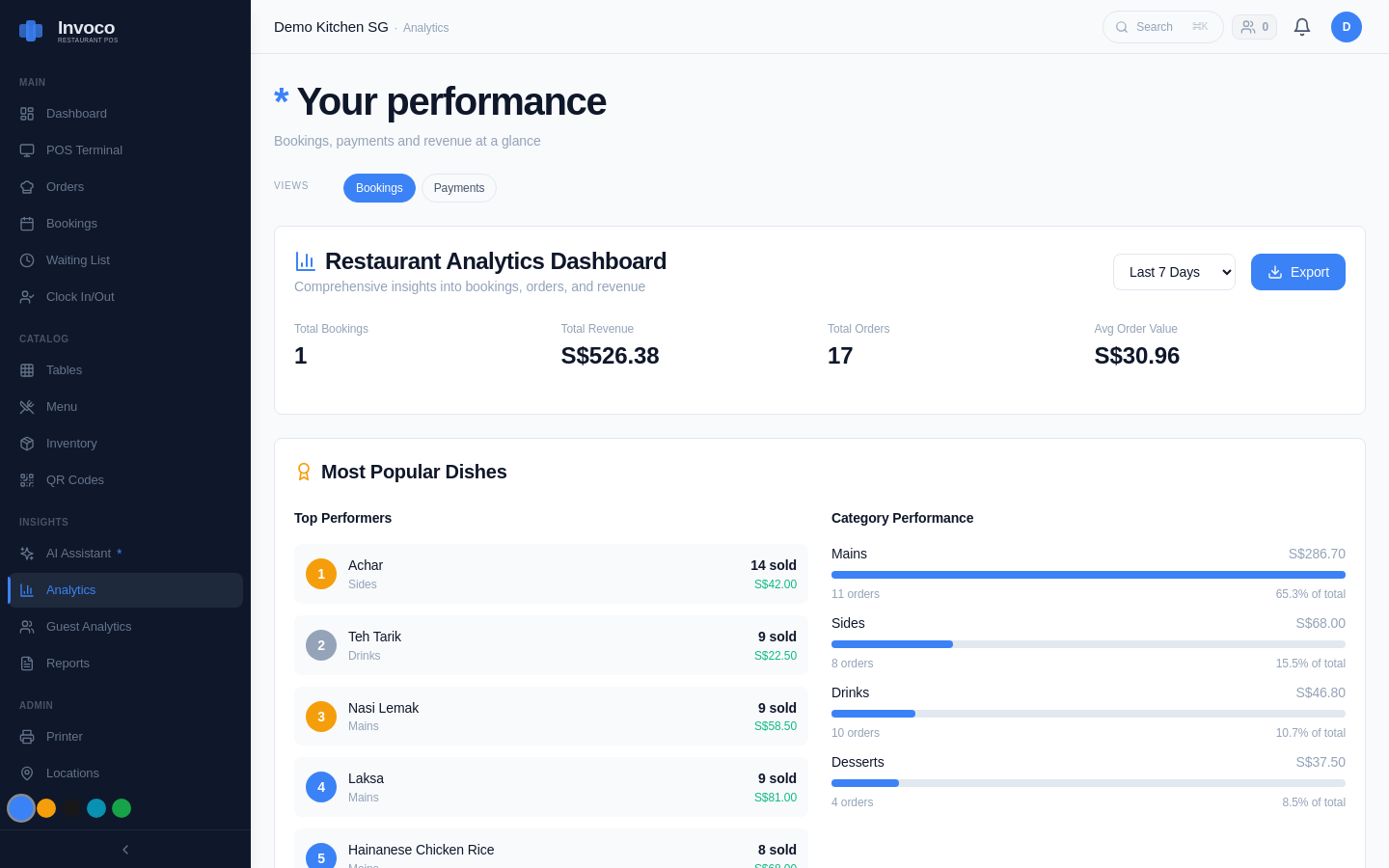
Invoco's POS & order taking module captures every sale, split bill, and modifier in real time. At close, the system auto-generates a daily summary: total sales by payment method, cash reconciliation, and a preliminary COGS snapshot. Your inventory + recipe costing module tracks ingredient usage as orders ring up, so EOD reports show you which items are trending over budget. The COGS + ingredient variance report flags over-usage per ingredient—if your laksa paste consumption jumped 20% mid-week, you'll see it immediately and can investigate spoilage or over-portioning before it compounds. For operators pushing invoices to Xero, the Xero integration means approved supplier invoices automatically post at the invoice price, so your ingredient costs stay current and your COGS calculations are never stale. The outcome: you close in 15 minutes instead of 90, your numbers are always accurate, and you spot cost leaks before they become margin killers. Invoco
Setting Up Automated EOD Reports: Best Practices
1. Choose a POS with Native EOD Reporting
Not all POS systems are equal. Look for one that:
- Generates reports without manual export or re-entry
- Integrates with your accounting software (Xero, if you use it)
- Tracks inventory in real time, not batch-updated
- Supports multi-outlet dashboards if you have franchises
2. Define Your Daily KPIs
Decide what matters most: gross margin, item-level COGS, staff sales, or cash variance. Configure your POS to highlight these metrics in your EOD report so you're not drowning in data.
3. Set Alerts for Anomalies
If cash is short by more than 2%, or COGS spikes above your target, your POS should flag it. This turns EOD from a chore into a control tool.
4. Archive Reports for Compliance
Keep 7 years of EOD reports (SFA and IRAS may audit). Cloud-based POS systems handle this automatically; on-premise systems require you to back up regularly.
FAQ
Q: Do I need a fancy POS to automate EOD reports? A: No. Even budget POS systems now offer basic EOD automation. The difference is in depth—cheaper systems may only show total sales, while mid-tier systems add inventory tracking and margin alerts. Choose based on your outlet count and complexity.
Q: Can I integrate my POS EOD reports with Xero? A: Yes. Most modern POS systems (including Invoco) can push approved invoices and sales summaries to Xero, so your accounting is always synced. This saves hours of manual entry and reduces errors.
Q: How often should I review EOD reports? A: Daily, ideally within 30 minutes of close. This is when you can still investigate anomalies—ask staff about voids, check if a supplier delivered short, or spot if a menu item was mis-rung.
Q: What if my POS doesn't auto-generate EOD reports? A: You're likely using an older system. Consider upgrading. The time saved (5–10 hours per week for a busy restaurant) pays for a new POS within months.
Q: Is EOD automation compliant with Singapore tax rules? A: Yes. IRAS requires accurate daily records; automated EOD reports actually strengthen compliance because they're timestamped, auditable, and harder to manipulate than manual logs.
Sources
- F&B Bi - Automating your restaurant reporting with intelligence - hbis.io
- How Real-Time Sales Reporting Helps Singapore F&B Businesses ...
- Singapore F&B: The Daily Margin Habit That Keeps You Honest
- How F&B firms use AI to improve service and operations
- Updated digital guide to help Singapore's F&B sector ... - YouTube
- Eodend of Day - Lark
- How Real-Time Reporting Transforms F&B Operations in Singapore
- Restaurant Systems (F&B POS) - Zeatech Computer Systems